.jpg)
The Requests page is your operational command center for tracking everything in flight.
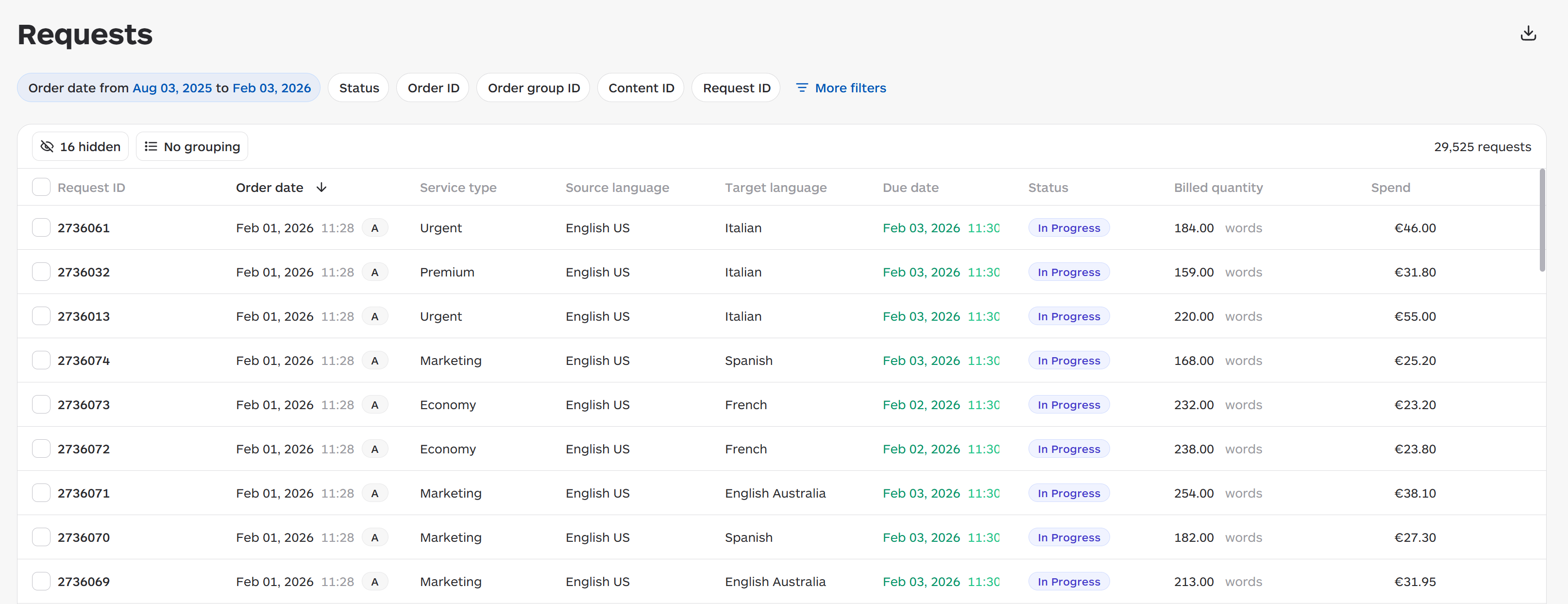
Request List Columns
|
Column |
Description |
|
Request ID |
Unique identifier |
|
Order Date |
When submitted |
|
Service Type |
Type of service |
|
Status |
Current state |
|
Source/Target Languages |
Language pair |
|
Word Count |
Billed volume |
|
Spend |
Cost |
|
Deadline |
Due date |
Status Meanings
|
Status |
Meaning |
|
Draft |
Created but not submitted |
|
Submitted |
Sent for translation |
|
In Progress |
Being worked on |
|
In Review |
Complete, being reviewed |
|
Delivered |
Finished and available |
Filtering Options

Filter by: Status, Date Range, Language, Due Date, Service Type, Tags, Labels, Intake Type, Issue, Invoice Number, Cost Center, Cost Description, Spend, Billed Quantity, Connector, Unit, Purchase Order, Raw Words, EPT R1/R2, Requested By.
Search Options
Search by: Request ID, Order ID, Order Group ID, Content ID.
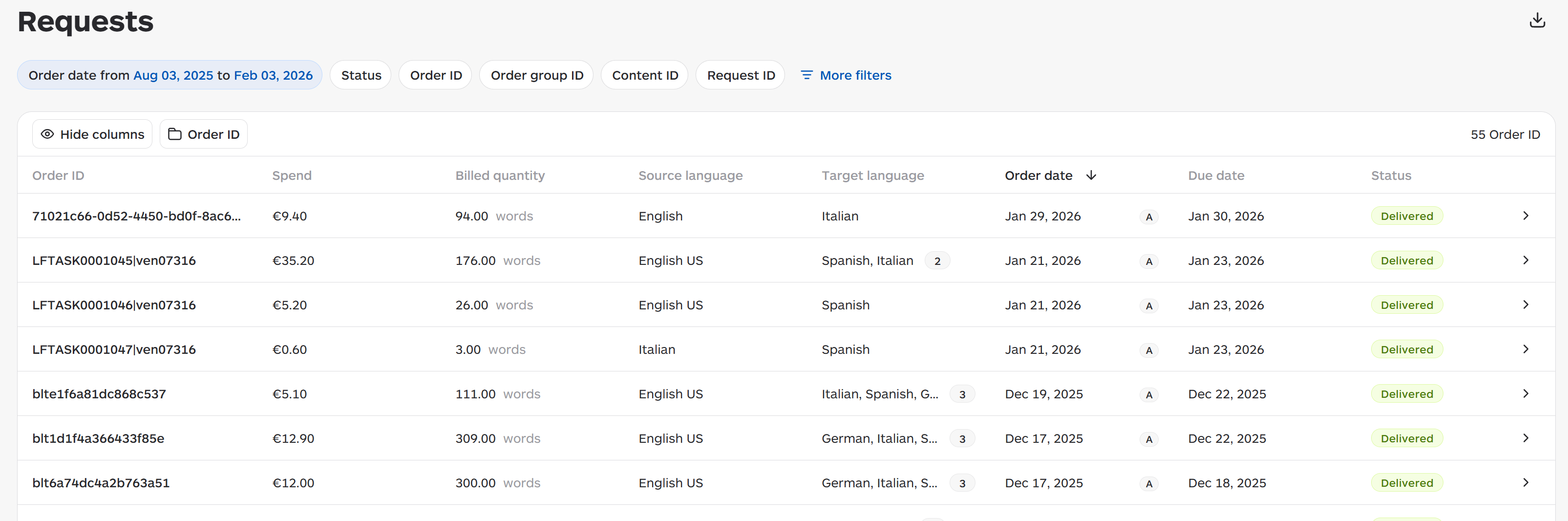
Grouping
-
Order ID: Shows individual orders
-
Order Group ID: Shows collections of related orders
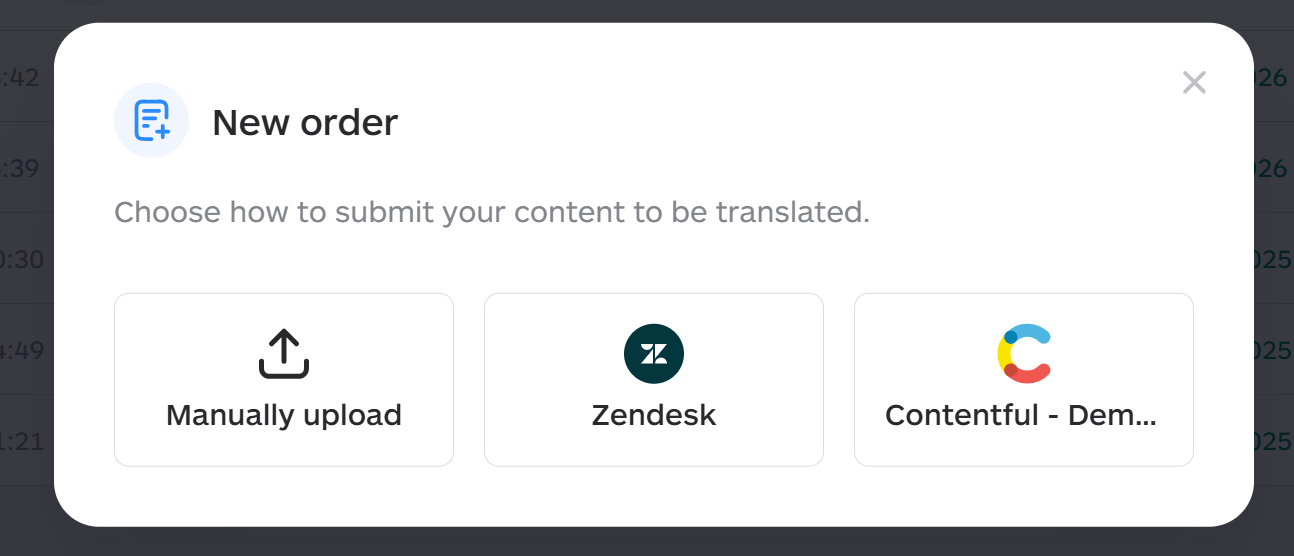
Submitting New Orders
-
Click New Order button
-
Upload files (Word, PowerPoint, Excel, HTML, XML, etc.)
-
Select source and target languages
-
Set deadline (determines service type)
-
Add instructions and reference materials
-
Submit